Getting Started
Quick Start
Welcome to Script Master! This quick start guide will help you get up and running with our powerful customization and automation tools for Jira Cloud and Confluence Cloud.
Installation
Install the app from Marketplace:
Accessing Script Master
After installing Script Master, the app will be available from the Administrator menu. Please note that only Application Administrators will have access to this menu and the app.
- Log in to your cloud instance as an administrator.
- In Jira version
- In Confluence version
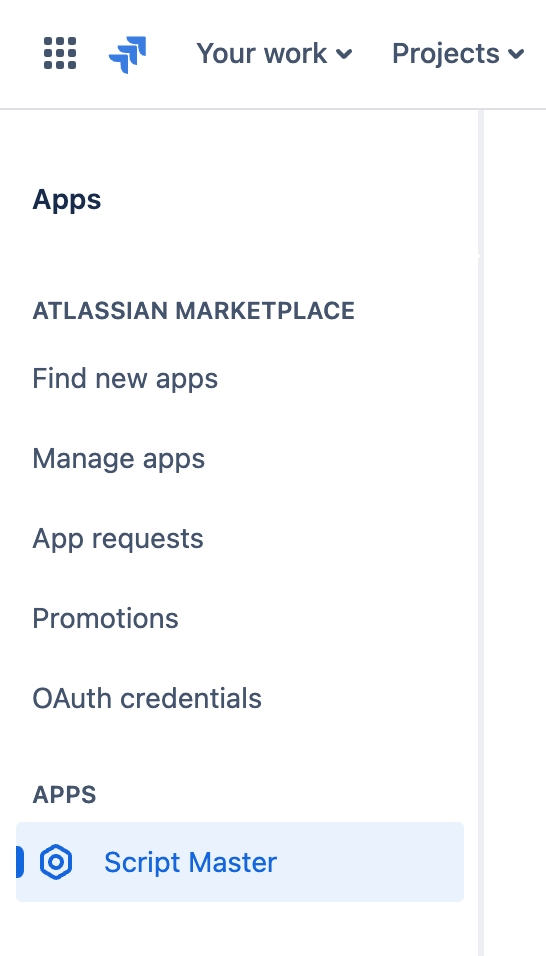
- Navigate to the Jira administrator menu.
- Select Script Master in the Apps section.
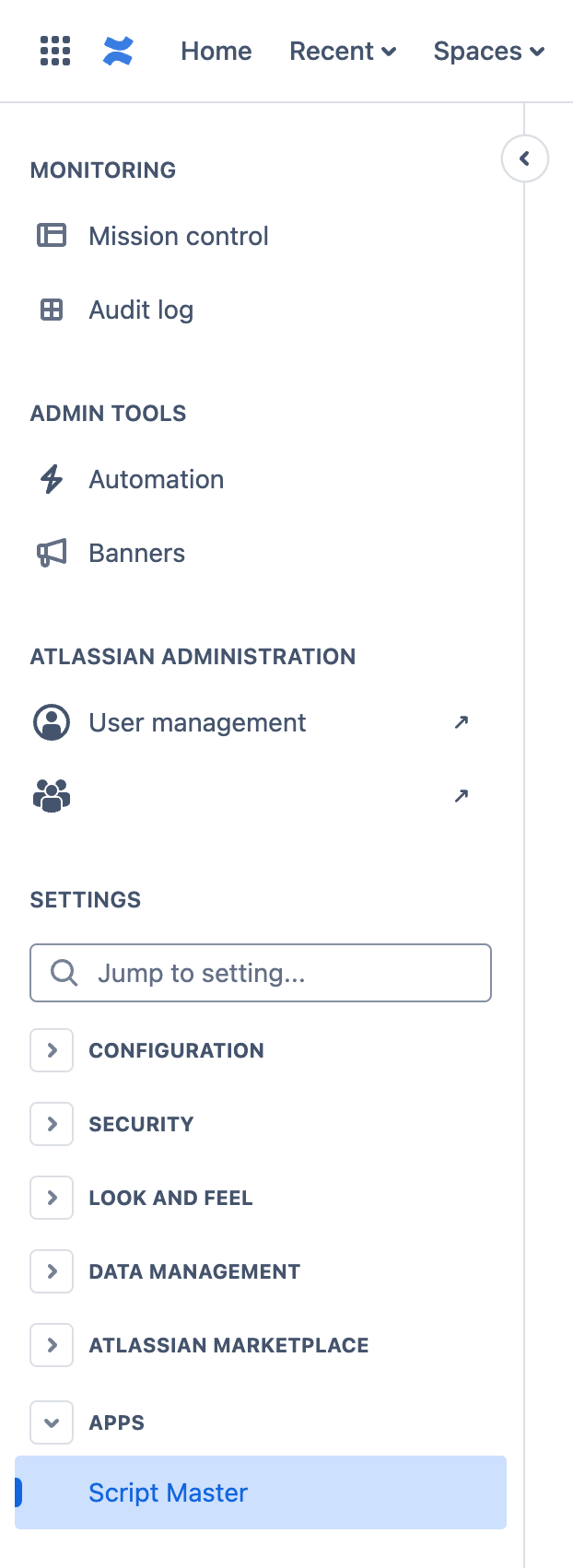
- Navigate to the Confluence administrator menu.
- Select Script Master in the Apps section.
Configuration
The app doesn't require any additional configuration, as it serves as a configuration and automation tool itself.
Start your customization journey with one of these modules:
- Script Console
- A powerful interface for executing and testing JavaScript code directly within the browser, offering immediate feedback and debugging capabilities. This feature allows users to streamline development processes, experiment with code snippets, and troubleshoot issues efficiently without needing a separate development environment.
- Fragments
- Create reusable HTML and JavaScript UI blocks to extend your Jira and Confluence interfaces in multiple locations. It integrates with Forge Custom UI and Forge bridge APIs for advanced customization.
- Gadgets
- Enhance Jira dashboards by allowing users to create and configure custom gadgets using HTML, CSS, and JavaScript. This flexibility enables dynamic visualizations, automation of workflows, and tailored interfaces, improving dashboard functionality and user interaction. It integrates with Forge Custom UI and Forge bridge APIs for advanced customization.
- Macros
- Enhance page content by allowing users to create dynamic, interactive macros tailored to their needs. They enable automation, custom layouts, and data integration, improving both the functionality and usability of Confluence pages.
- Web Triggers
- Seamless integration of Jira or Confluence with external systems via JavaScript functions that respond to HTTP requests. They require no user authentication, support robust error handling and performance optimization, and offer scalability. Key benefits include ease of communication with Jira, automation of workflows, and enhanced functionality through custom actions.
- Custom fields
- Workflow Post-functions, Validators, Conditions