Access Tokens
warning
The REST API is still in beta and is subject to change.
Generating Access Tokens for the REST API
To use the Polls REST API for creating, updating, and deleting polls, you need to configure "Access Tokens". These tokens allow you to automate these actions and integrate with automation tools or external systems.
Steps to Generate an Access Token
- Navigate to Access Tokens Configuration:
- Go to Team Voice settings to manage access tokens.
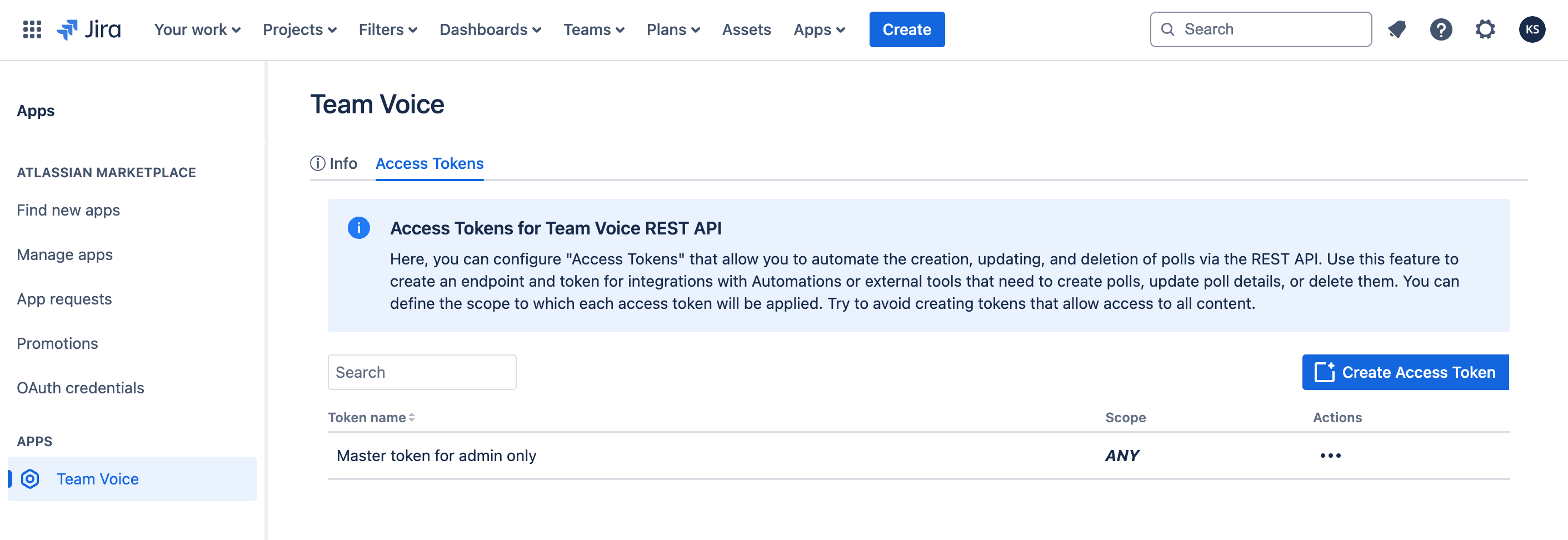
-
Create a New Access Token:
- Select the option to create a new token.
- Provide a descriptive name for the token, indicating its purpose (e.g., "Poll Management Token for Automation").
-
Define the Scope:
- Set the scope of the token to limit its access to only the necessary content and actions. Avoid creating tokens that allow unrestricted access to all content.
- For example, you might restrict the token to allow only operations related to polls within specific Jira projects or Confluence spaces.
-
Generate and Save the Token:
- After defining the scope, generate the token.
- Copy and securely store the token. You will need it to authenticate your API requests.
Using the Access Token
When making API requests, include the access token as a query parameter to authenticate your actions. The token ensures that your API calls are authorized to perform the specified operations.
Example:
Best Practices
- Scope Limitation: Always limit the scope of your access tokens to the minimum required for your integrations.
- Token Security: Keep your access tokens secure. Do not share them or expose them in public repositories or unsecured locations.
- Regular Review: Periodically review and revoke tokens that are no longer needed or are suspected to be compromised.
By following these guidelines, you can securely automate and manage polls using the REST API.