📂 Team Voice
Overview
 | Team Voice is a polling app for Jira and Confluence. Create a poll on an issue or a page, let your team vote, and see the results as a table, bar chart, or pie chart. |
|---|
With Team Voice, you can create, participate in, and analyze polls directly within your Jira issues or Confluence pages.
Key Features
- Create a poll by filling out a short form, without leaving the issue or page you are on.
- Set your own poll title, answer options, and voting settings.
- Results update as votes come in.
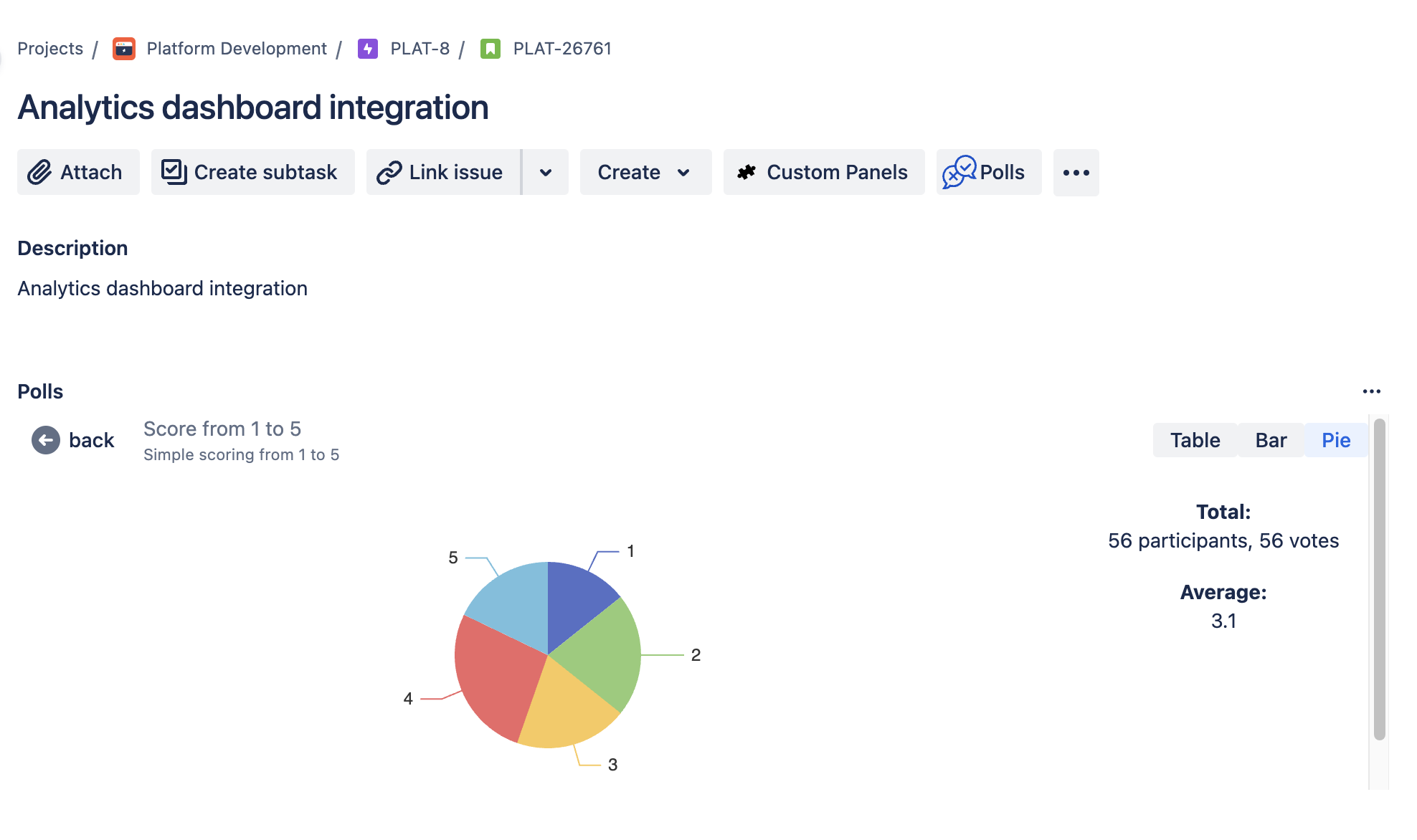
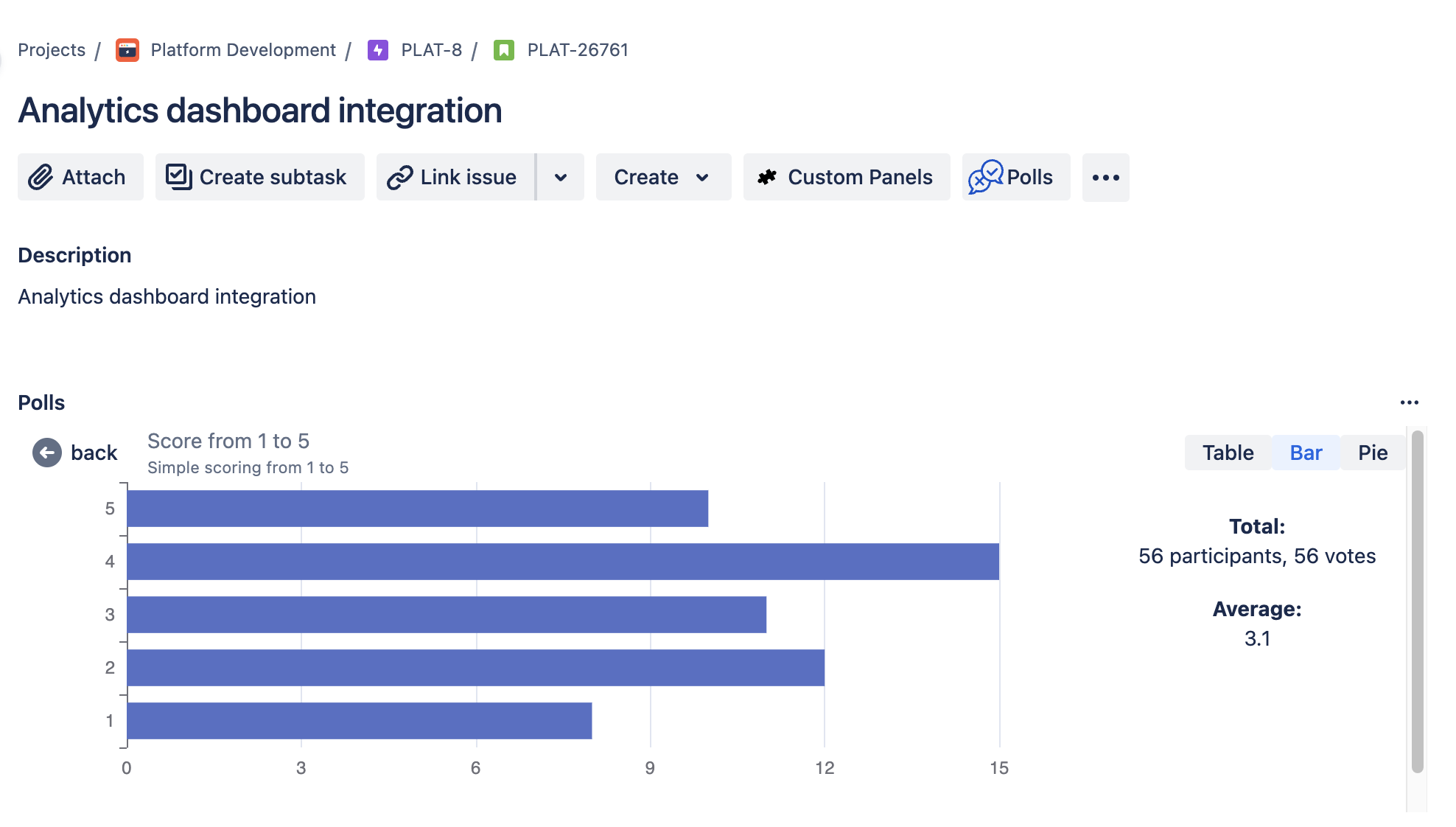
- View results as a table, a bar chart, or a pie chart.
How It Works
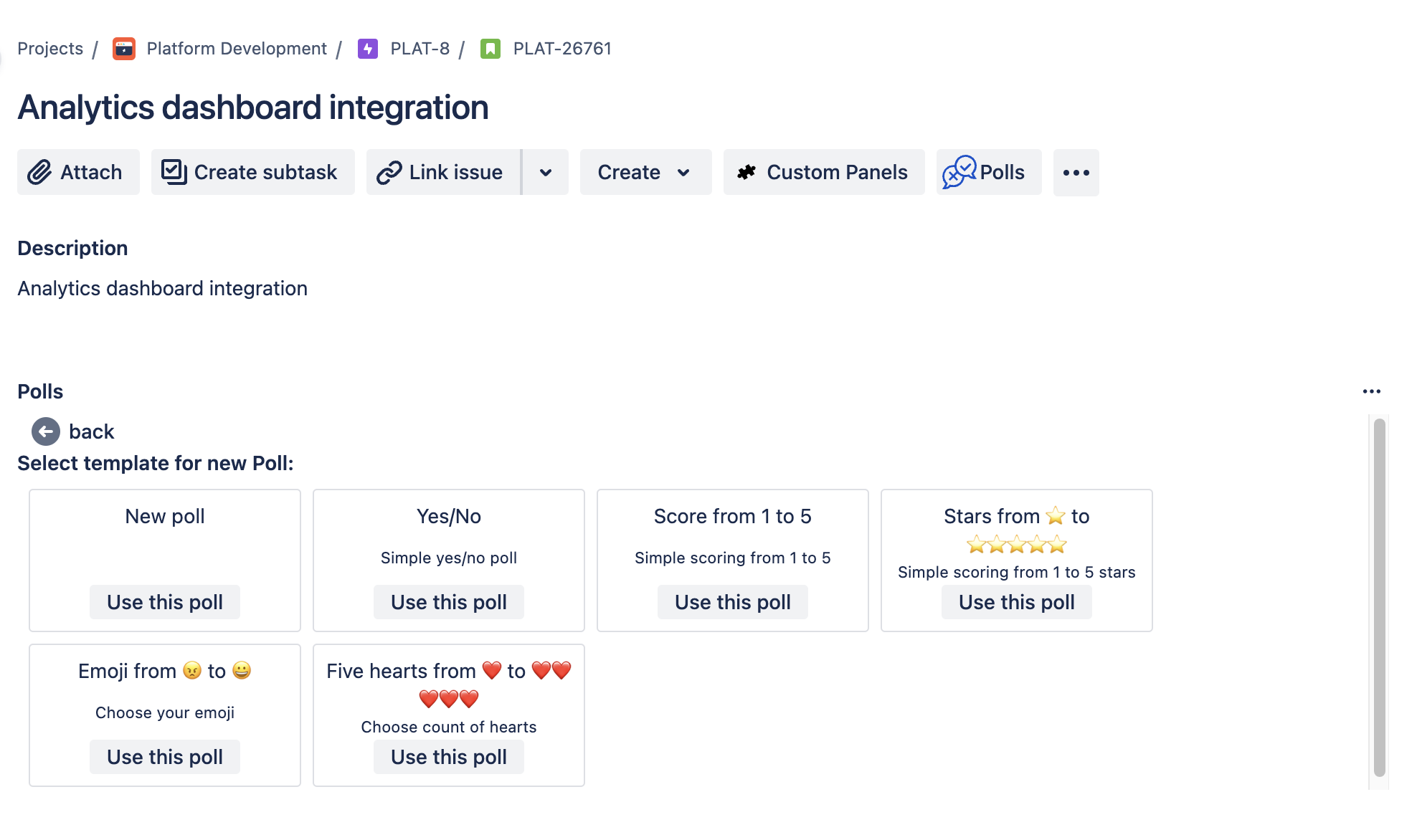
- Create Polls:
- Navigate to the Jira Issue or Confluence Page where you want to add a poll.
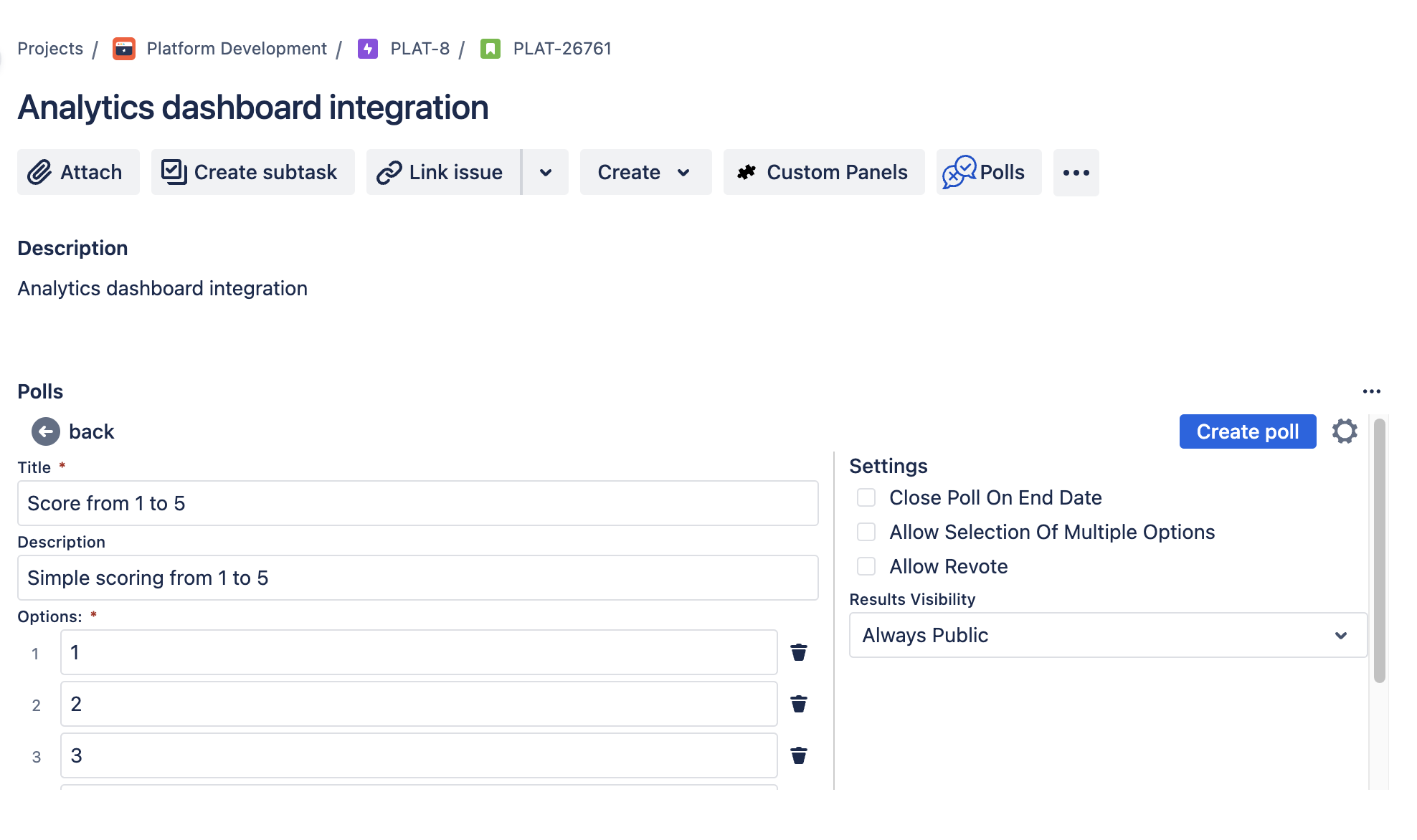
- Use the Team Voice form to specify the poll title, options, and settings.
- Save and publish the poll.
- Participate in Polls:
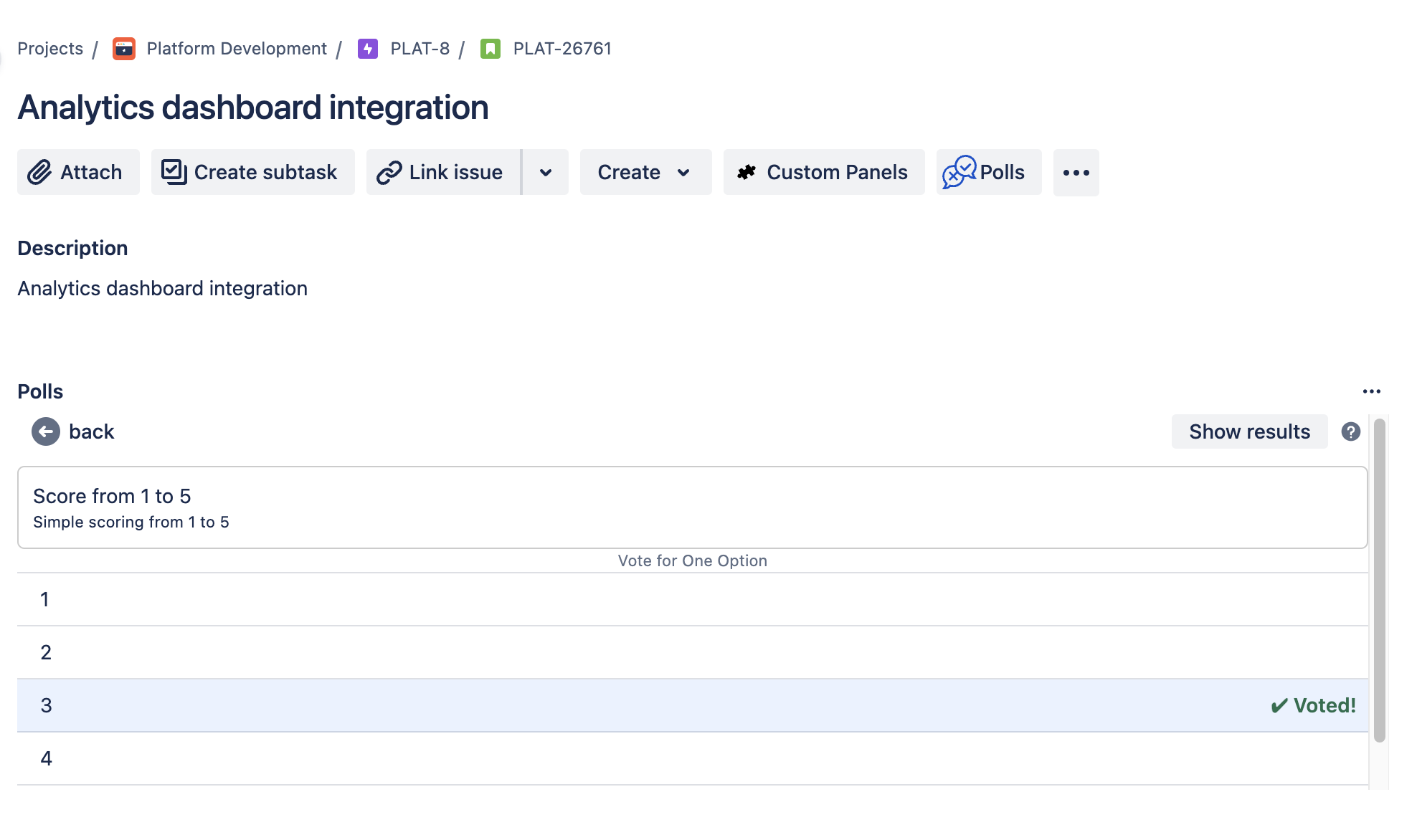
- Team members can easily vote by selecting their preferred options.
- The intuitive interface ensures a smooth participation process.
- View Results:
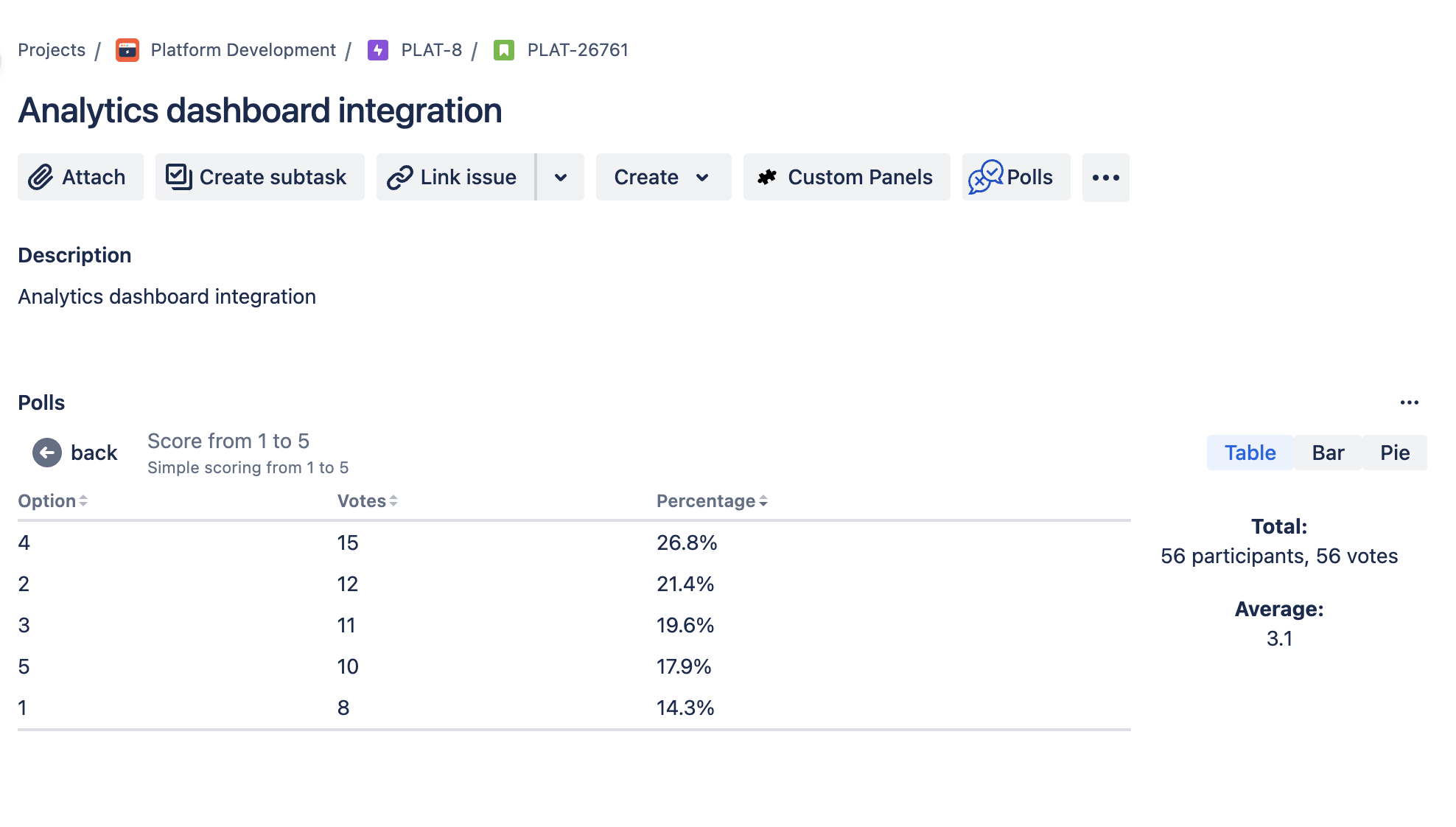
- Results are updated instantly as votes come in.
- Choose from multiple formats to view the results, including tables, bar charts, and pie charts.
Poll Permissions
- Participate: View permission (Confluence/Jira).
- Create/Edit/Delete: Edit permission (Confluence/Jira).
See Permissions for details.
Benefits
- Improved Team Engagement: By simplifying the polling process, Team Voice encourages more frequent and meaningful participation from team members.
- Better Decision-Making: Instant access to poll results in various formats helps teams make informed decisions quickly.
- Streamlined Workflow: Integrated directly into Jira and Confluence, Team Voice keeps your team focused by reducing the need to switch between different tools.