📂 ContentCraft: Mermaid diagrams for Confluence and Jira
Overview
 | ContentCraft: Mermaid diagrams for Confluence and ContentCraft: Mermaid diagrams for Jira are powerful apps that let you create and view diagrams using Mermaid syntax directly in Atlassian Cloud. You can easily create flowcharts, sequence diagrams, Gantt charts, and more. These tools help you add clear, visual diagrams to your Confluence pages or Jira Work Items, making your documentation more engaging and easier to understand. They're perfect for teams who want to improve their communication through simple, effective visuals. |
|---|
Who is this app for?
- Software Engineers and Architects — Visualize system architecture, data flows, Git branching strategies, and class hierarchies directly inside Jira issues or Confluence pages, without needing external diagramming tools.
- Project Managers — Create Gantt charts and timelines for project planning and milestone tracking inside Confluence documentation.
- Business Analysts — Build flowcharts, ER diagrams, and requirement diagrams to document business processes and data models alongside Jira work items.
- Technical Writers — Embed live, maintainable diagrams in Confluence documentation without managing separate image files.
- DevOps and Platform Teams — Document infrastructure and deployment workflows as text-based, version-control-friendly diagrams.
Quick Links
- Getting Started — Install the app and create your first diagram
- Mermaid Diagram Syntax — Full syntax reference for all 16 diagram types
- Diagram Theming — Customize diagram colors and appearance
- Known Limitations — Diagram size, browser, and syntax constraints
- FAQ — Common questions answered
- Troubleshooting — Diagnose and fix common issues
Features Overview
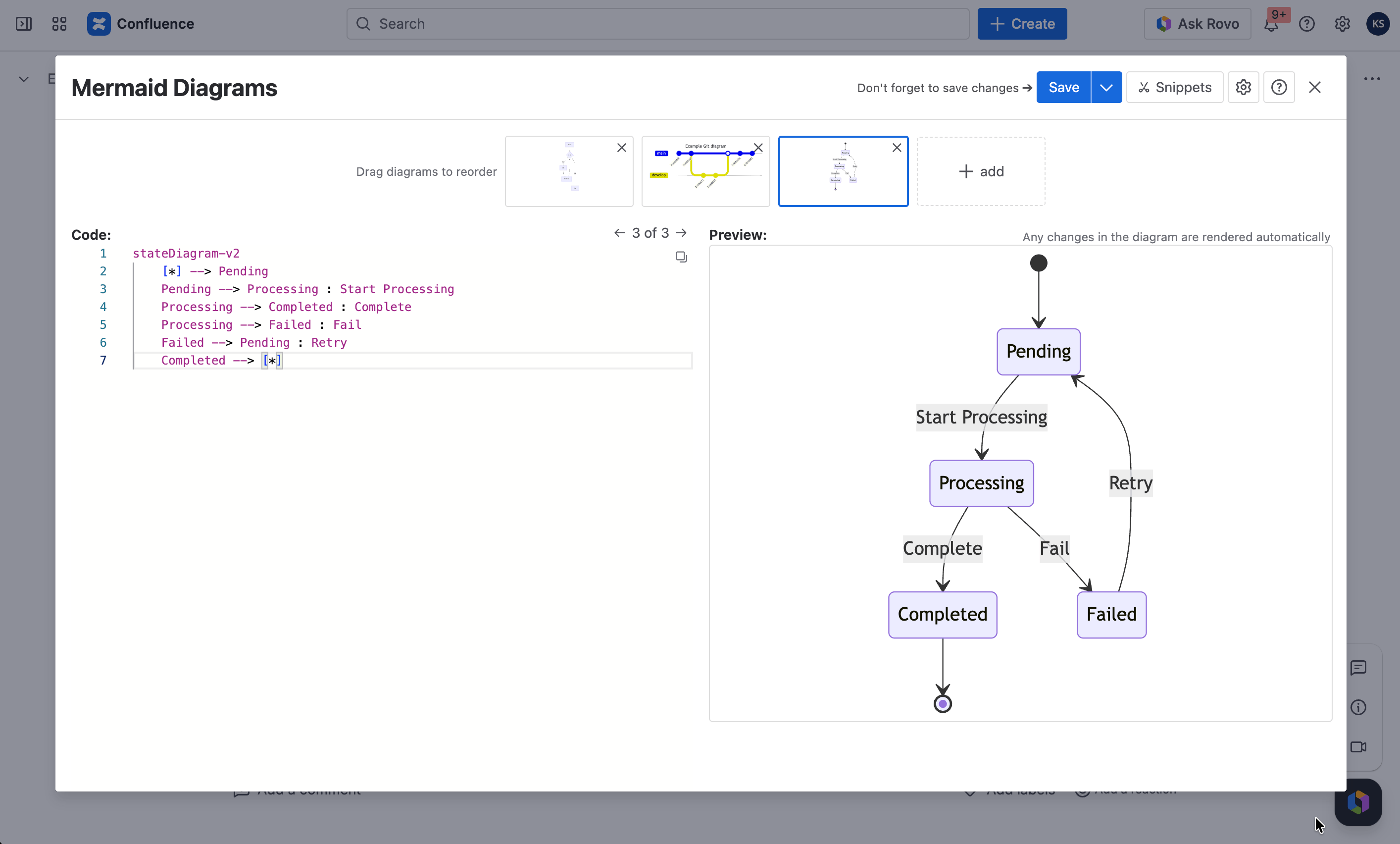
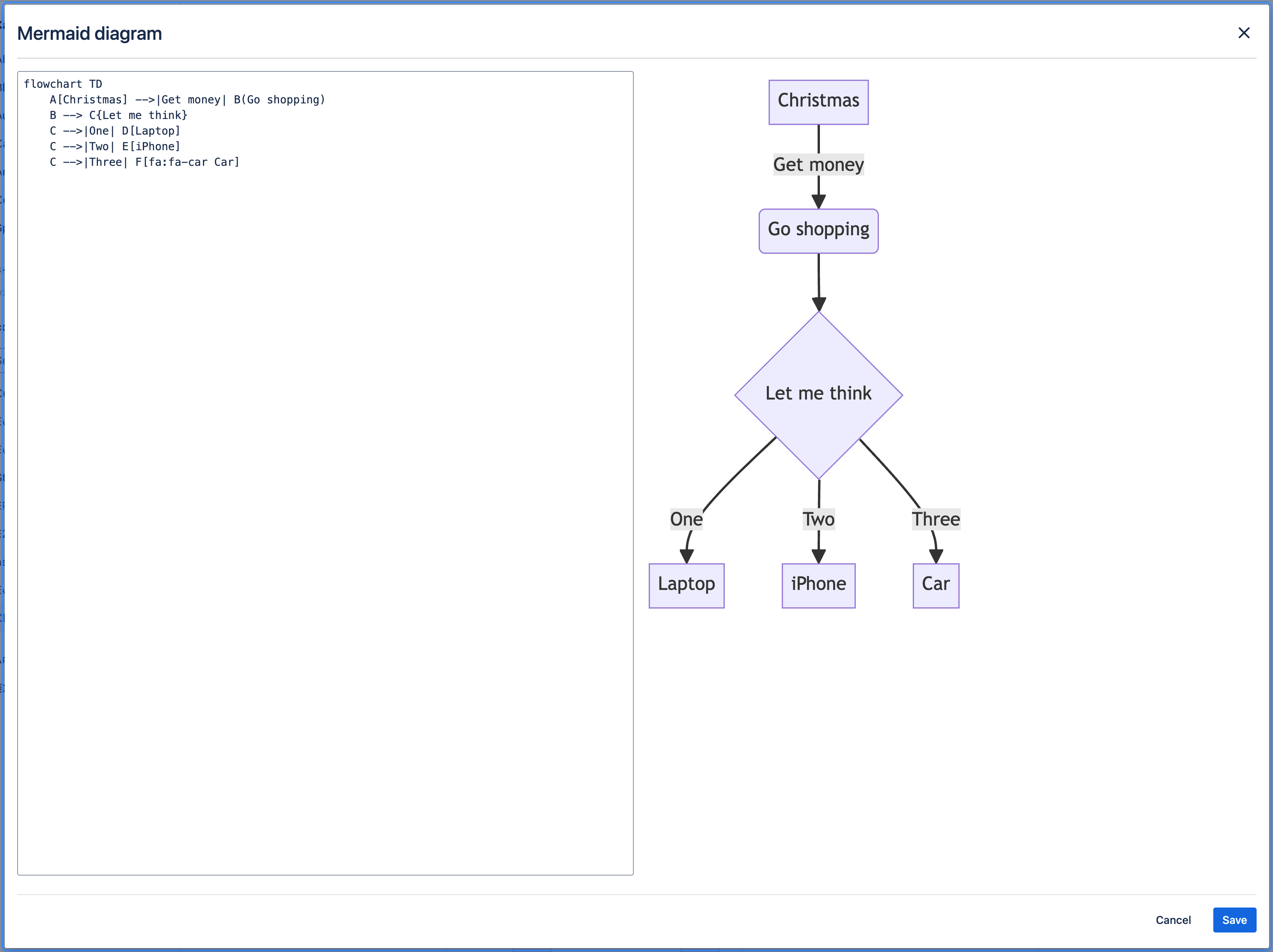
ContentCraft lets you create and display many different types of diagrams directly on Confluence pages or Jira Work Items using Mermaid syntax. You can make flowcharts, sequence diagrams, Gantt charts, and much more. The app works smoothly with your Atlassian Cloud setup, helping you create dynamic diagrams that improve your team's documentation and collaboration.
Full list of supported diagram types:
- Flowchart
- Sequence Diagram
- Class Diagram
- State Diagram
- Entity Relationship Diagram
- User Journey
- Gantt
- Pie Chart
- Quadrant Chart
- Requirement Diagram
- Gitgraph (Git) Diagram
- Mindmaps
- Timeline
- Sankey
- XYChart 🔥
- Block Diagram 🔥
Confluence vs. Jira — Feature Comparison
Both apps support the same 16 Mermaid diagram types. They are separate Marketplace apps purchased independently.
| Feature | Confluence version | Jira version |
|---|---|---|
| All 16 diagram types | ✅ | ✅ |
| Macro-based insertion (via Insert menu) | ✅ | ❌ |
| Diagrams panel on Work Items | ❌ | ✅ |
| Available to all users after install, no extra config | ✅ | ✅ |
Permissions
ContentCraft does not introduce additional permission levels. Access is governed entirely by standard Atlassian permissions:
- Installation: Only Jira or Confluence Administrators can install apps from the Atlassian Marketplace.
- Jira: Any user with access to a Jira Work Item can view and create diagrams on that issue.
- Confluence: Any user with edit access to a Confluence page can insert and edit Mermaid Diagram macros. Users with view-only access can see rendered diagrams.