Scripted custom fields
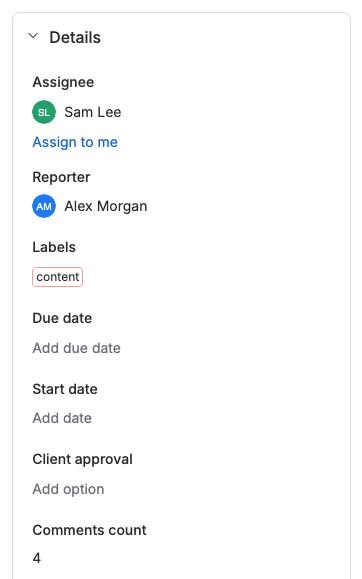
A scripted custom field is a read-only Jira custom field whose value comes from your script. Use one to show a value Jira doesn't store on the work item, such as the number of comments or the status of the parent.
Applies to: Script Master for Jira · Cloud
Field types
Script Master adds five custom field types to Jira. Each one expects a different return value from the script.
| Field type | Return a value like this | To leave the field empty |
|---|---|---|
| Scripted Number Field | A number, for example 3 | Return undefined |
| Scripted String Field | A string, for example 'In Progress' | Return undefined |
| Scripted User Field | An object with an account ID: { accountId: '00000000-0000-0000-0000-000000000000' } | Return null |
| Scripted DateTime Field | An ISO 8601 date and time, for example '2026-10-20T11:32:00+02:00' | Return undefined |
| Scripted Date Field | A date as YYYY-MM-DD, for example '2026-10-20' | Return undefined |
If the script returns another type, or throws an error, the field shows nothing on that work item.
How the value is computed
The fields are native Jira custom fields. You create them on Jira's Custom fields page and add them to screens like any other field. The script belongs to a field context, so each context of a field can have its own script.
Jira asks for the value when someone opens a work item that shows the field. Script Master sends the script to your site's Companion App, which runs it and returns the value. Jira keeps the last value it got. Searches, filters and lists show that stored value, which can be out of date until someone opens the work item again.
Scripted fields run on the server, through the Companion App. Until a Jira admin sets it up, every scripted field shows nothing. See Set up the Companion App.
What a field script can use
A field script is server-side JavaScript. It runs inside an async function, so you can use await, and it must return the value.
| Name | What it is |
|---|---|
payload.issue.id | The ID of the work item being shown |
payload.issue.value | The value Jira holds for this field now |
payload.issue.context | The ID of the field context whose script runs |
payload.field.id | The field ID, for example customfield_10050 |
api, route | Forge API calls, for example api.asApp().requestJira(...) |
fetch | Calls to services outside Jira |
console | Debug output. The field preview shows it for each work item. |
Call Jira with api.asApp(). The Companion App runs scripts without a signed-in user, so don't use api.asUser(). For everything api offers, see Forge API for server-side scripts.
payload.issue holds only the three properties in the table. To read other fields of the work item, request them from the Jira REST API with payload.issue.id.
Limitations
- The fields are read-only. People can't type a value into them.
- Jira stops waiting for a value after 25 seconds, and the work item then shows nothing for the field. Check the time per work item with the field preview.
- Script Master records failures, not every computed value. The Last 7 days column on the Custom Fields tab counts the work items whose value failed.
Pages in this section
- Create a scripted custom field: add the field in Jira and put it on screens.
- Write the field script: open the field context in Script Master and save the script.
- Preview a field on work items: run unsaved code on real work items before you save.
- The Custom Fields tab: every scripted field on the site, with its screens, contexts and failures.
Examples
- Comments count: a Number field with the number of comments.
- Attachments count: a Number field with the number of attachments.
- Subtasks count: a Number field with the number of subtasks.
- Parent status: a String field with the status of the parent work item.
- Parent assignee: a User field with the assignee of the parent.
- Parent last updated: a DateTime field with the time the parent last changed.
Related
- Set up the Companion App: set up the Companion App that runs server scripts.
- Version history: compare and restore earlier versions of a field script.
- Workflow extensions: scripted post functions, validators and conditions.