Gadgets
A gadget is a block of HTML, CSS and JavaScript that people add to their Jira dashboards. Use gadgets for charts, lists and notes built from Jira data or any REST service, when Jira's own gadgets don't show what your teams need.
Applies to: Script Master for Jira · Cloud. Confluence has macros instead.
How it works
You write gadgets in the Gadgets tab of Script Master. Once you turn one on, anyone who edits a dashboard can add it:
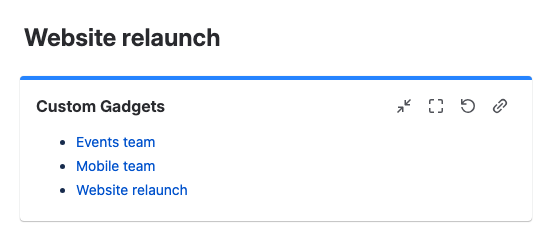
- They add Jira's Custom Gadgets gadget to the dashboard.
- In it, they pick one of your gadgets from Select a Custom Gadget:.
The code runs in the viewer's browser each time the dashboard loads. Its calls to Jira run as the person viewing the dashboard, with their permissions. Code can also call external services, and data goes wherever your code sends it.
Script Master gadgets have no space setting. Every dashboard editor sees every gadget that is switched on.
Turning a gadget off or deleting it
| You… | What dashboards show |
|---|---|
| Turn a gadget off | Dashboards that already show it keep showing it. Nobody can pick it for a new Custom Gadgets gadget |
| Delete a gadget | Dashboards that showed it keep its place with This gadget was deleted, until someone who can edit the dashboard removes it or picks another gadget |
Deleting a gadget also deletes its failure record and version history. It can't be undone.
When to use it
- Use a gadget for information people check on a dashboard.
- Use a fragment for content that belongs to a work item or a space.
Limits
- A site can have up to 100 gadgets. At the limit, Script Master says "You've reached 100 gadgets".
- Creating a gadget needs a valid Script Master license.
Set up gadgets
- Create a gadget: write the gadget, check it on one of your dashboards and turn it on.
- Add a gadget to a dashboard: what dashboard editors do to show your gadget.
Examples
- Markdown notes: write notes in Markdown on the gadget and show them as formatted text.
- My dashboards: list the dashboards the viewer owns.
- My filters: list the viewer's filters.
- Embed a plan: show a Jira plan on a dashboard in a frame.
The editor's Snippets library has more examples.
Related
- Preview your code: how the live preview works in every editor.
- Write fragment code: the globals, sizing and dark theme. Gadgets work the same way.
- Failures: what viewers and admins see when a gadget fails.
- Version history: compare and restore earlier versions of a gadget.