Add a label to parent pages
Label every page above one page, up to the space's top level, in a single run. On the Tools page, this is Add Label to Parent Pages.
Applies to: Script Master for Confluence · Cloud
Before you begin
- Confluence permission: permission to add labels to the pages above your page.
- App permission: Add Label to Parent Pages is available to you. It's available to all users unless an admin changed that. See Set who can use each tool.
The label can use lowercase letters, numbers, hyphens and underscores, up to 255 characters.
Add the label
-
Go to Apps > Script Master Tools, then select Add Label to Parent Pages.
-
In Space, type the space key and pick the space. The picker matches keys, not names.
-
In Page, pick the page whose parents you want to label.
-
In Label, enter the label, for example
needs-review.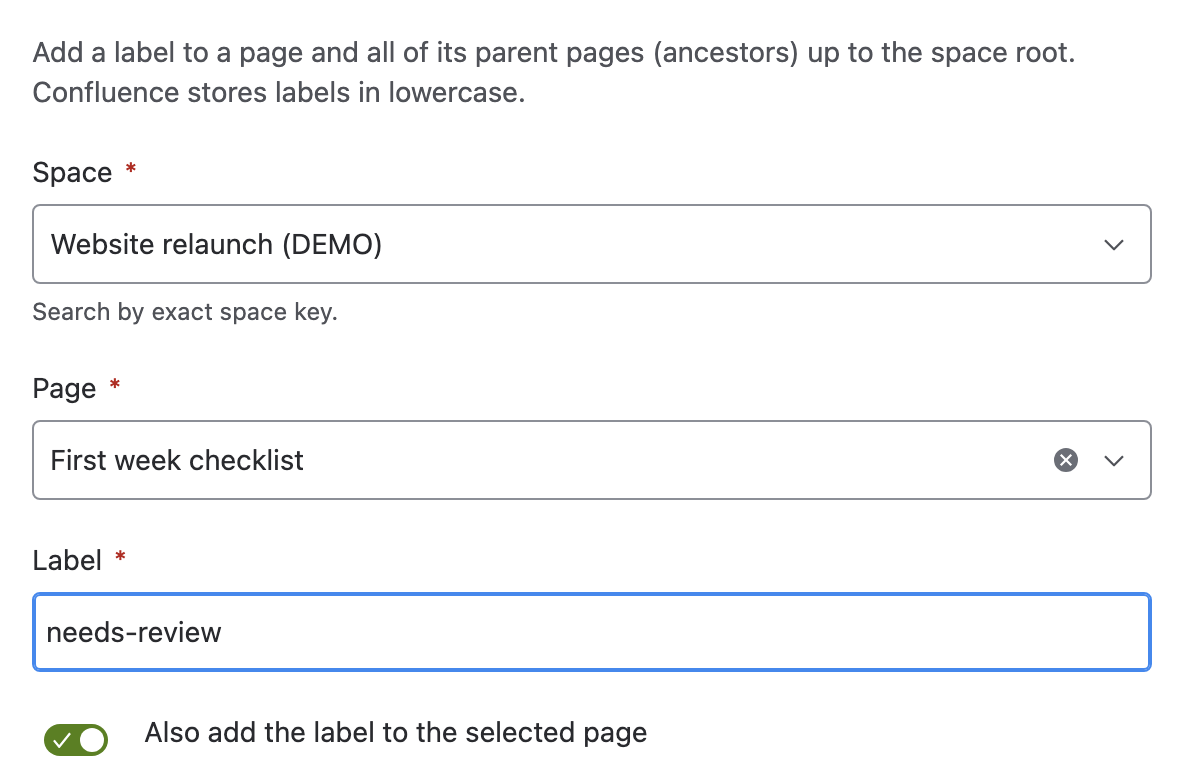
-
To label the page itself too, turn on Also add the label to the selected page.
-
Select Check pages. The report lists the first 10 target pages, from the top of the space down to the direct parent.
-
Select Add label.
Result: Label added says how many pages changed, and lists up to 10 failures with the reason for each.
What the check tells you
| Line | What it means |
|---|---|
| N pages will be labeled | The parent pages, plus the selected page if you turned that on. Zero is a warning: a top-level page has no parents. |
| The label "name" will be added to each | The lowercase label the tool writes. |
What it changes
| Item | Effect |
|---|---|
| Parent pages | Each one gets the label. A page that already has it is unchanged. |
| The selected page | Labeled only when Also add the label to the selected page is on. |
| Child pages | Unchanged. Use Add a label to child pages for those. |
| Page bodies and versions | Unchanged. |
The tool follows the chain of parents for up to 500 pages, reading one page at a time.
Undo a run
The tool has no undo. Remove the label by hand, or swap it for another with Replace a label across content.
Related
- Add a label to child pages: the other direction, down the tree.
- Tools limits and behavior: retries and partial failures.
- Tools: every tool and how a run works.