Add a comment after a transition
This post function adds a comment when a work item moves to review, so reviewers know it's ready. It runs on the In Review transition of a workflow used by space DEMO.
Applies to: Script Master for Jira · Cloud
Before you begin
- Jira permission: Jira admin (the Administer Jira global permission).
- A Jira admin has set up the Companion App. See Set up the Companion App.
The script
const body = {
  body: {
    type: 'doc',
    version: 1,
    content: [
      {
        type: 'paragraph',
        content: [{ type: 'text', text: 'This work item is ready for review.' }]
      }
    ]
  }
};

const response = await api.asApp().requestJira(route`/rest/api/3/issue/${payload.issue.id}/comment`, {
  method: 'POST',
  headers: {
    'Accept': 'application/json',
    'Content-Type': 'application/json'
  },
  body: JSON.stringify(body)
});

console.log(`Comment added: ${response.status}`);
Jira's REST API takes comments in Atlassian Document Format, which is why the text sits inside doc and paragraph objects.
Add the post function
- Go to Settings > Work items > Workflows. In the workflow's row, select ⋯ > Edit.
- Select the In Review transition, then Add perform actions rule in its rules panel.
- Select Scripted Post-function, then Select.
- In Backend JavaScript, paste the script.
- Optional: test it on a work item in a test space. See Test a post function.
- Select Add, then Update workflow.
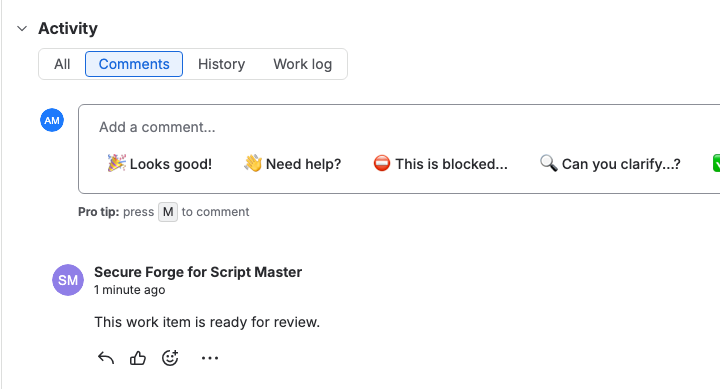
Result: When a work item moves to In Review, it gets the comment "This work item is ready for review." The comment shows the Companion App's app account as its author, not the person who moved the work item.
Related
- Workflow post functions: the payload and how a post function runs.
- Run history: check that the post function ran.
- Add comment: the Jira REST API this script calls.