Add a post function
Put a Scripted Post-function on a transition so that your script runs every time a work item moves through it.
Applies to: Script Master for Jira · Cloud
Before you begin
- Jira permission: Jira admin (the Administer Jira global permission).
- A Jira admin has set up the Companion App. See Set up the Companion App.
Add the post function
-
Go to Settings > Work items > Workflows. In the workflow's row, select ⋯ > Edit.
-
Select the transition. Its rules panel opens.
-
In the rules panel, select Add perform actions rule.
-
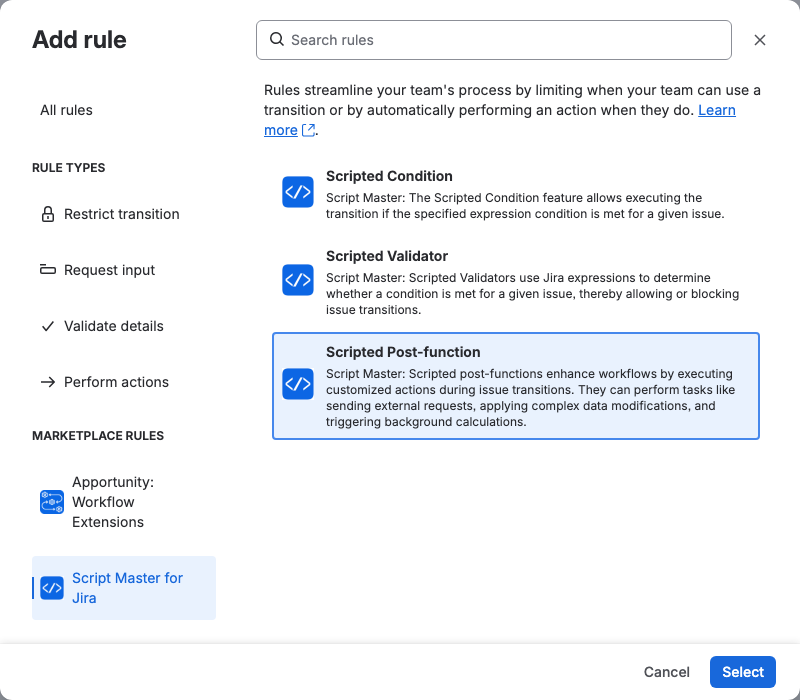
Select Scripted Post-function, then Select. The Script Master editor opens in the dialog.
-
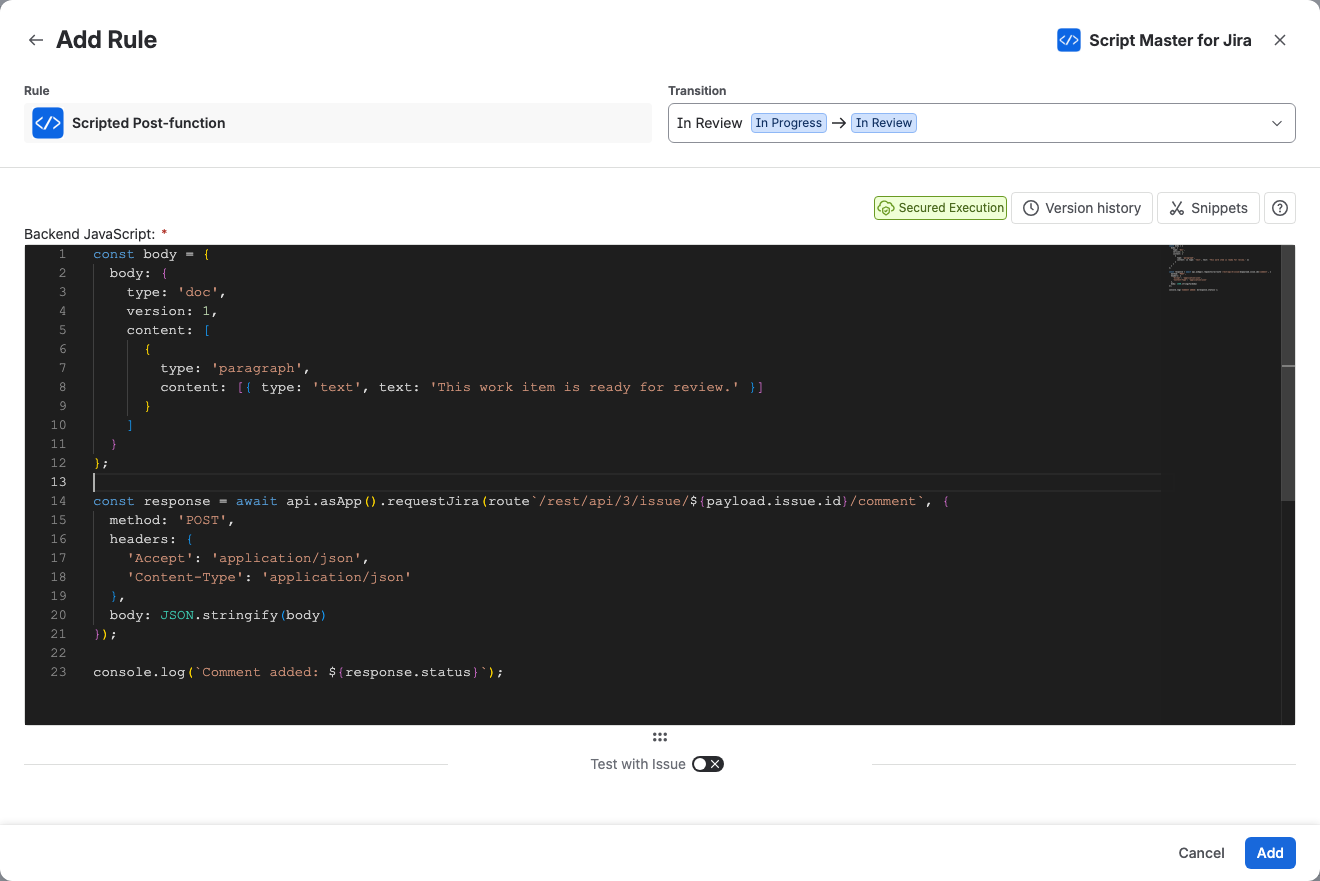
In Backend JavaScript, write the script. To start from an example, copy one from Snippets and paste it into the editor.
-
Optional: run the script against a work item. See Test a post function.
-
Select Add, then Update workflow to publish the change.
Result: The script runs after every move through the transition. Its runs appear under Recent runs when you open the post function again, and on the Workflows tab.
Change a post function
- Open the workflow in the editor as above, and select the transition.
- In the transition's rules panel, select the post function's card. The Edit Rule dialog opens on the Summary tab: This scripted workflow extension is configured, and the script looks excellent. Select expand to see the script.
- Select the Edit tab, and change the script.
- Select Update, then Update workflow to publish the change.
If someone changed the script outside Script Master since its last save there, the editor shows Changed outside Script Master. When you save, Script Master records the current script as a new version.
To go back to an earlier version, select Version history. See Version history.
A post function with no script yet shows Needs setup on the Workflows tab and does nothing.
Related
- Workflow post functions: the payload and how a post function runs.
- Add a comment after a transition: a complete example.
- Run history: read the output and errors of recent runs.