Clone Space says the space key is already taken
The Clone Space check blocks the copy because the new space key belongs to another space.
Applies to: Script Master for Confluence · Cloud
Symptom
The report is titled This copy can't run yet and shows a red line such as Space key "HR" is already taken. The line under it names the space that holds the key.
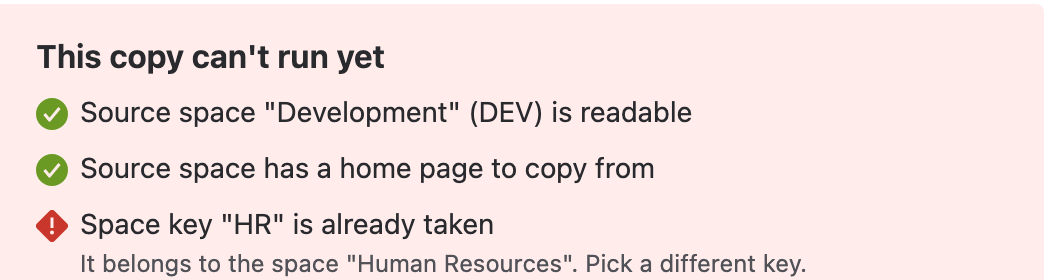
Find the cause
- Read the line under the failed check.
- If it names an archived space, go to the first cause below.
- If it names another space, go to the second cause.
- If the check passed but Copy space then failed, go to the third cause.
An archived space holds the key
Cause: archiving a space doesn't free its key. The key stays taken until someone deletes the space.
Solution: enter another key in New space key and select Check space again.
To reuse the key instead, a Confluence admin can delete the archived space, and then you run the check again.
Deleting a space deletes its content. Make sure nobody needs the archived space first.
Another space holds the key
Cause: the key belongs to a space in use.
Solution:
- Enter another key in New space key. Use letters and numbers only, different from the source key.
- Select Check space again.
A space you can't see holds the key
Cause: the check only finds spaces you can view. A space you can't see doesn't show up, so the key looks free until Confluence refuses to create the space.
Solution:
- Read the error. It ends with "The key may already belong to a space you don't have permission to see."
- Choose another key, or ask a Confluence admin what holds this one.
Nothing was created: creating the space is the copy's first step, and Confluence refused it.
Still not working?
Contact the support portal with the key you tried and the exact error.